05:30 · BEFORE YOU GO OUT
Start with what you were handed
The last OCE's handover is already on your device: everything they left open, with pins and photos. Steve's sump pump and the south ramp windrow are on the map before you leave the go-line. It knows the equipment, the areas and what still needs a look. The mine record still gets your signature, same as before. Now you know what you're looking for.
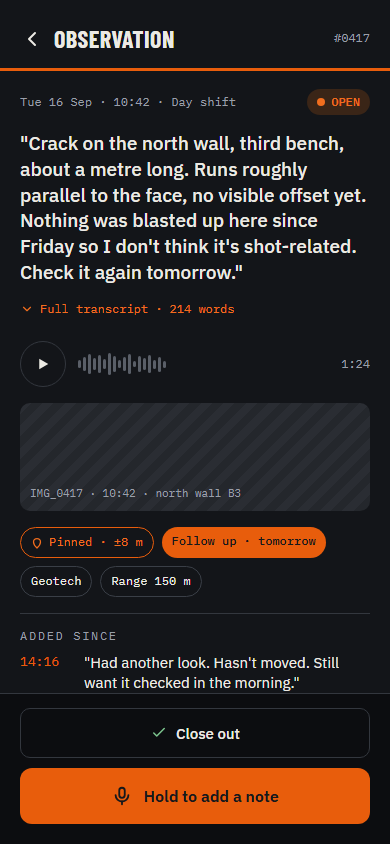
10:42 · ON THE NORTH WALL
Say it when you see it
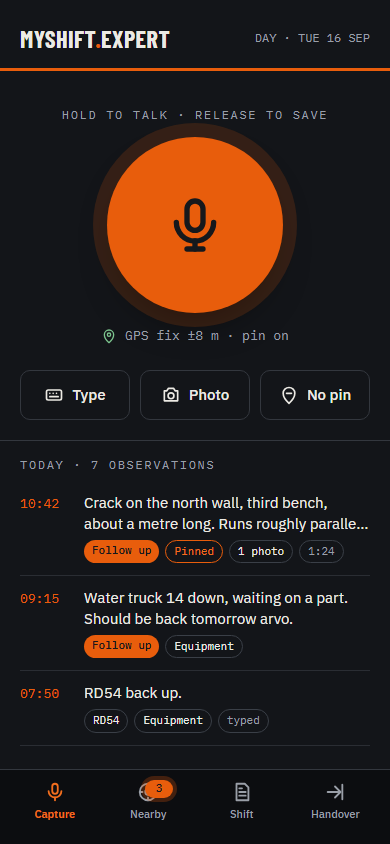
Press to start, talk, press to stop. Or type it. "Crack on the north wall still there, about 1 m long." As little as you want or the whole story, it's up to you. Add a photo or two if it helps, whatever you think you'll need for your end-of-shift inspection report later. Your location when you make the observation is recorded, so you can see it on a map later. Works from the ute, standing on the blast pattern or in the equipment seat, with or without coverage, wearing gloves, a truck idling beside you.
14:15 · DRIVING PAST A KNOWN HAZARD
It beeps when you're back near it
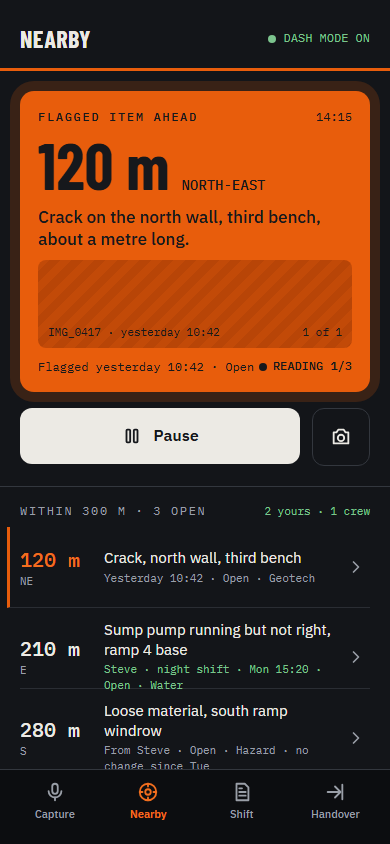
Device in the cradle, app open. Come within range of something flagged and it alerts you. If you're interested, one tap and it reads you a summary of the known hazard. Want to know more? Ask it. It will read you the previous inspection notes: who first found the hazard, how long it has been around, what has changed recently. Maybe you've inspected this hazard before? Do you want to see the photos taken previously? Once you're satisfied and have made your inspection today, record what you find. Add a new photo, make a note of what actions need to happen, confident the app will remind you when it's time to write your report.
14:40 · LEAVING THE AREA
It checks before you drive off
Leaving an area, your assistant alerts you and grabs your attention. Your choice: do you want to know what it's got to say? Yes. Press a button. The assistant reminds you there's a known hazard close by, you haven't made a comment about it, and you're leaving the area. Conveyor CV101, noisy roller reported last shift. Should you go and take a look?
15:15 · DRIVING TO A NEW AREA
It reminds you what you haven't got to
You're driving to a new area. Your assistant wants your attention. If you've got time, find out what it wants. It's 3:15 pm, only a few hours left in your shift. At the start of shift you made some notes of what you wanted to inspect. There are a few items you haven't talked about yet. Do you want to hear them as a reminder? There may be time to get a final inspection in. Perhaps you did complete some of those inspections but were too busy at the time to make a comment. Now might be a great time to talk it through and make a record of what you saw, ready for inclusion in the shift-end report.
17:40 · END OF SHIFT
It asks what you missed, then drafts
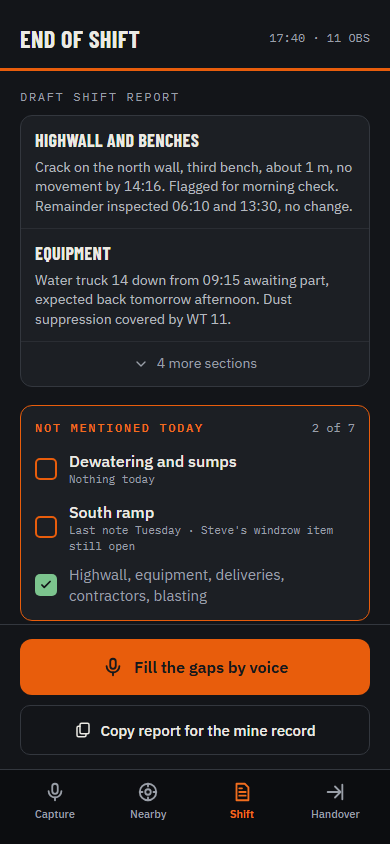
Time to write the inspection report. What did I do? Where did I go? What did I see, and what actions do I need to let someone know about? The app prompts you: one final check of what's still missing. Then you write the report. It's still yours to write. You just don't write it from memory, and nothing is forgotten.
17:55 · ONE FINAL STEP
Handover: you choose what to share
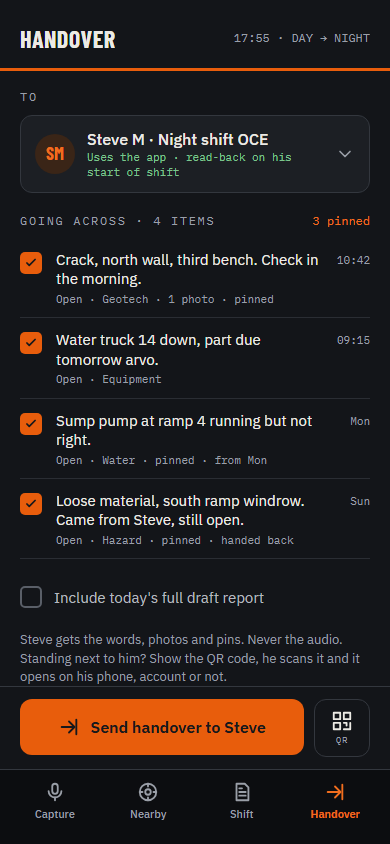
The handover goes to your swap, and you pick what's in it. Separately, every note has a switch at the top: private or shared. If other OCEs on site are using it, a shared note, with its photos and pin, reaches whoever is keeping an eye on the machine or place it mentions. You choose, note by note. Keep the rest for yourself: personal reminders, projects you're working on, observations that aren't serious enough to be reported as a hazard yet, that sort of thing.