MyShift.Expert
Queensland coal · personal assistant for OCEs

Your shift, remembered

Notebook, iPad diary, whiteboard marker on the ute window: everyone has a system for remembering what they saw. Say it or type it instead. The app keeps where and when, beeps when you're back near it, asks what you've missed, and drafts the report and the handover from what you actually said.

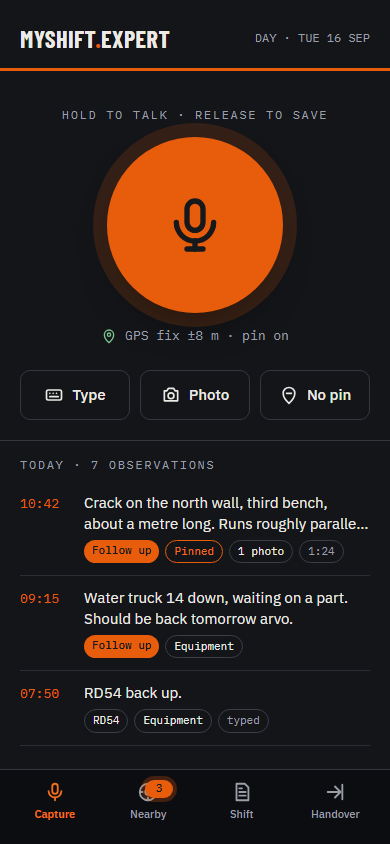
Capture screen: a large hold-to-talk button, and today's observations with times, pins and follow-up flags
One day shift, start to finish

Say it. Drive past it. Walk off with it.

A day at the pit, as the app sees it. Orange is yours, green came from the crew.

GO-LINE · CRIB NORTH WALL RAMP 4 SUMP SOUTH RAMP 200 m N NOT MENTIONED TODAY → STEVE, NIGHT SHIFT 120 m · NE · BEEP Sump pump not rightSteve · night · Mon Loose material, windrowSteve · still open Crack, N wall, bench 310:42 · check tomorrow WT14 down, part due09:15 · equipment
05:50 · BEFORE YOU GO OUT

Start with what you were handed

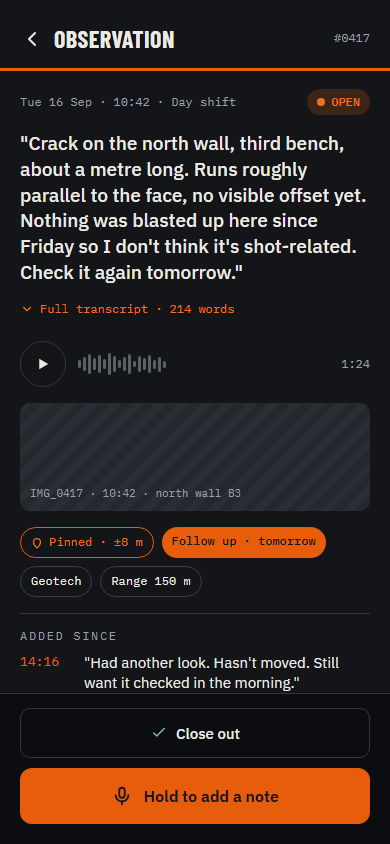
The app reads back what the last OCE left open, with pins and photos. Steve's sump pump and the south ramp windrow are already on the map. The mine record still gets your signature. Now you know what you're looking for.

Observation screen: the full transcript, audio, photo, pin and follow-up flag for one item
10:42 · ON THE NORTH WALL

Say it when you see it

Hold the button, talk, let go. Or type it. "RD54 up" or the whole story. A photo if it helps. Where you were is stamped on it. Works from the ute or a dozer seat, with no coverage, a glove on, and a truck idling beside you.

Capture screen with a hold-to-talk button and today's observations
14:15 · DRIVING BACK PAST

It beeps when you're back near it

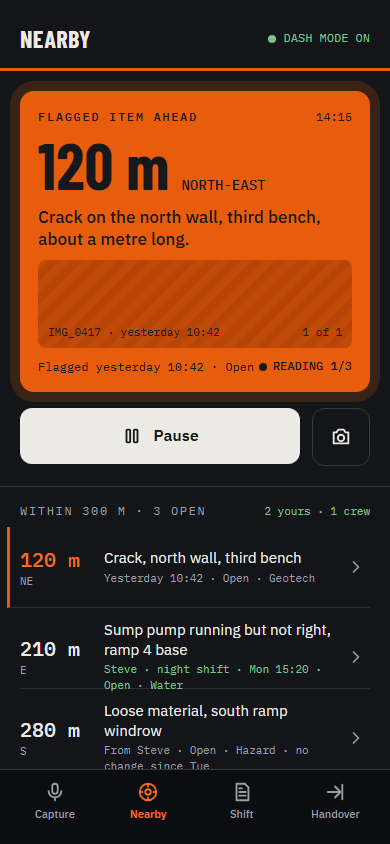
Phone in the cradle, app open. Come within range of something flagged and it beeps. One tap and it reads back a line per item, yours and the crew's, with the name on each, and the photos come up as each one is read.

Nearby screen: a flagged crack 120 metres north-east, and a list of open items within 300 metres
17:40 · END OF SHIFT

It asks what you missed, then drafts

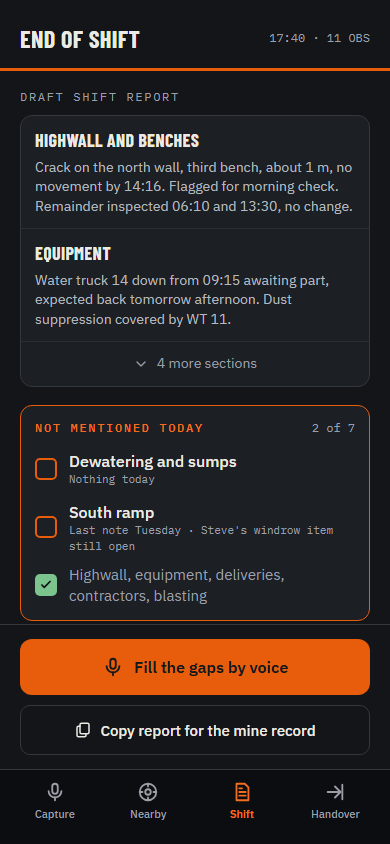
"Nothing on the sumps today, did you get to them?" Answer, and the draft is written: inspection material and what-went-where material, separately, ready to paste where each belongs. You still write the report. You just don't write it from memory.

End-of-shift screen: draft report sections and a list of areas not mentioned today
17:55 · CHANGEOVER

Hand over in one tap

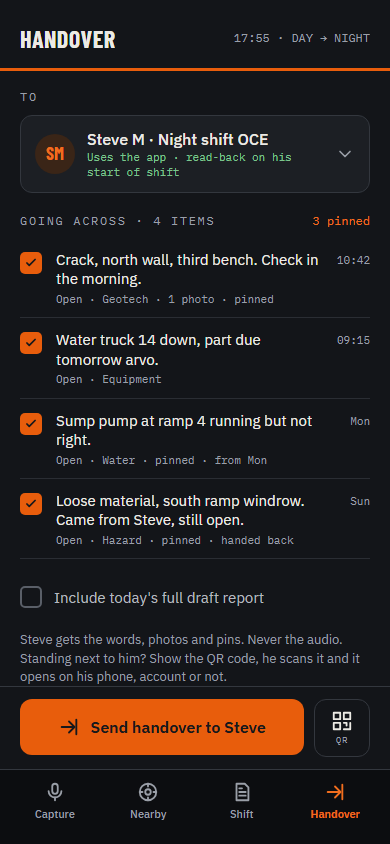
Everything still open goes to your swap. Standing next to them, they scan the QR code on your phone and it opens. Got an account? It's their start-of-shift brief. Haven't? That's how they get one. Otherwise a link or a PDF.
Handover screen: four open items going across to the night-shift OCE
Not a hazard register

Of your shift never goes near the hazard register

The pump that isn't right, the delivery that turned up, the part on order, the wall you want to look at again. MyShift.Expert is for all of that. The statutory records stay exactly where they are.

Inspection reportUNTOUCHED · YOU WRITE IT
Mine recordUNTOUCHED · YOUR SIGNATURE
Site hazard registerUNTOUCHED
Production systemUNTOUCHED
Three things a notebook can't do

Built for the ute, not the office

ASKS

It asks. Not incessantly.

Which truck? Flag that for tomorrow? It never asks twice, "not now" waits until end of shift, and you can turn it off altogether.

SHARES

Things share. People never.

Your note about CV101 reaches the next OCE who mentions CV101. Notes about people stay with you, and any note can be kept private with one tap.

OFFLINE

No coverage, no problem

Everything is captured on the phone and synced when it finds a signal. Usually on the way out of the pit.

Also Say it or type it Pinned where you stood Follow-up flags Beeps near flagged items Gap list at end of shift Handover by QR, link or PDF iPhone, Android, iPad
Who hears it

Only you, until you say otherwise

  • It records when you press the button and stops when you let go. It is not listening to the shift.
  • Audio is yours. A handover, a report or a crew share sends the words, the photos and the pins, never the audio.
  • Nothing for the site to install or approve. The mine record is written by you, same as before.
  • If a site adopts it later, the site's rules on what is kept and who sees it are shown to you before you sign in.
Crew sharing · two switches · try them
ShareYour notes about things go to the crew
HearThe crew's notes come to you
NEVER SHARED: AUDIO · NOTES ABOUT PEOPLE
Getting it

Personal account. Installs from a link.

It's yours, not the site's. Your phone, your account, your recordings. Nothing goes anywhere until you send it.

$[X] / month, first month free
  • iPhone, Android and iPad
  • Unlimited observations, photos and handovers
  • Transcription, drafting and read-back included
  • Cancel any time. Your observations stay yours.