MyShift.Expert
Beat 1 • 05:00

Start of Shift

Back after seven days off, you arrive before the crew and open the app to a swipeable timeline of the last seven days away. The summaries are pulled from the previous reports already synced locally: Day 1 had 45 mm rain and a south wall crack developed, Day 2 was delayed by a blast issue, Day 3 had truck downtime, Day 4 saw a conveyor failure, Day 5 safety incident on go-line, Day 6 good production and Day 7 was a wet overnight shift with strong night production numbers. The short title on a captured item is auto-generated from the note content — for example, a voice note about the crest crack becomes “Crack at Crest” in the shift timeline. This start-of-shift review also checks crew capability, fatigue, workload and support gaps before the task plan is confirmed.

  • You can tap any day to inspect the written records, ground control notes and hazard reports.
  • The weather refreshes at 04:45 and shows a fine start with showers later in the day.
  • Night handover pins show the four key issues from the previous shift: south wall seepage, pump fault, soft ramp and contractor truck downtime.
Beat 1 S1 / S2 / S3
05:00 Overview
Last 7 days Synced
SHIFT DETAIL Fri 1 Apr

South Wall Crack

South Wall Cutback

45 mm rain overnight. The crack widened and seepage remains active.

  • Ground control notes logged.
  • Hazard report attached.
  • Roads and berms monitored.
Forecast
Showers later 10:00–14:00 · 5–15 mm
24–30°C Humidity 65% Wind 18 km/h SE
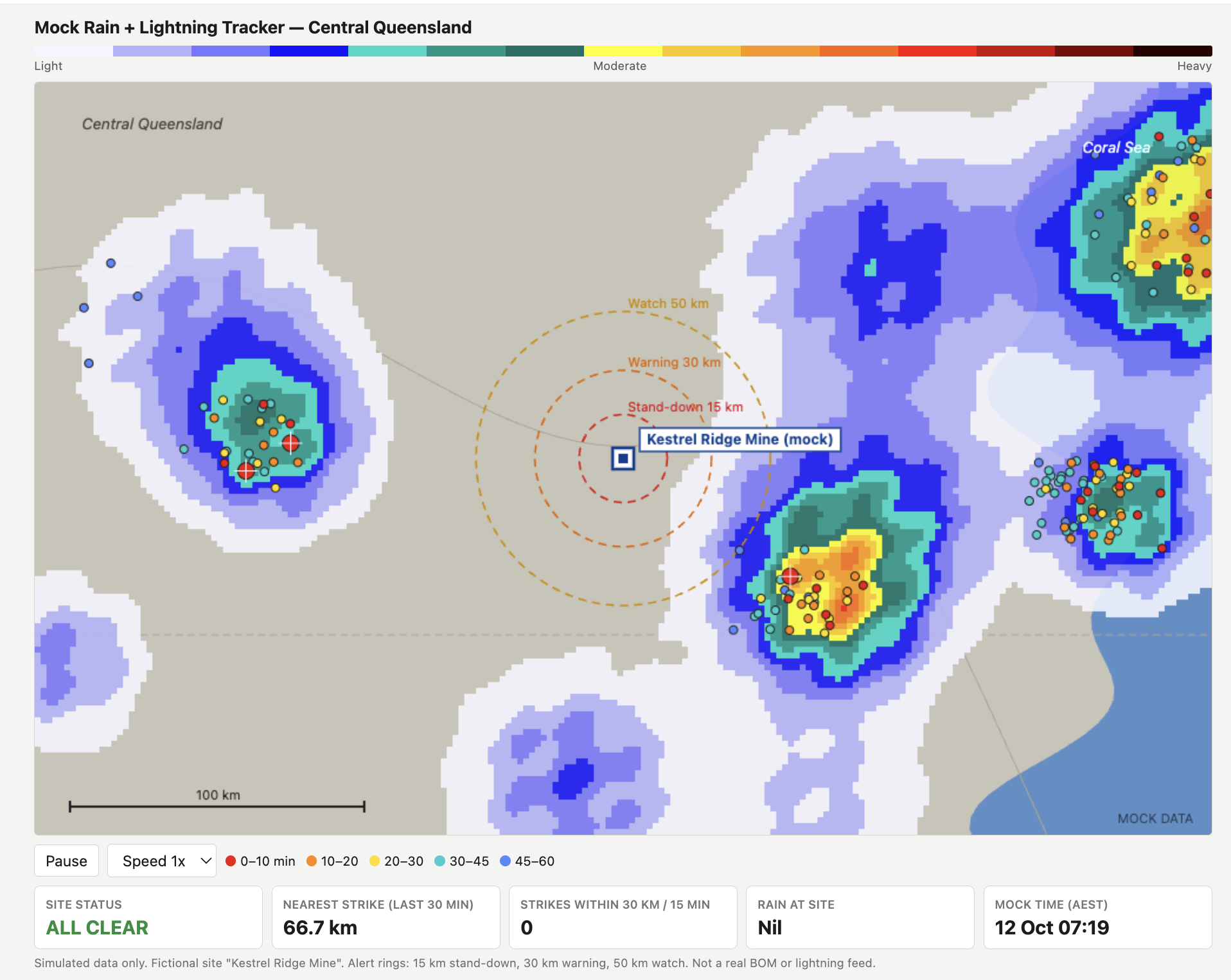
Mock rain radar and lightning tracker for Central Queensland
Planned Activities for this shift 1
  • Target Activity Critical Control ROM Crusher Critical Control Verification: traffic plan and segregation check.
Handover Notes (previous crew) 4
  • Ground Control Inspection
    South Wall Crack 📷
    South Wall Cutback South wall seepage after rain Seepage after rain. Geotech cleared faces.
  • Area Inspection Sump Pump Lower Benches Pump fault. Electrician rostered 06:30.
  • Road Condition Main Ramp Soft Spot 1200 Bench Turn Watch loaded trucks.
  • Fleet Status Contractor Trucks Contractor Fleet Truck 101 tyre bay. Truck 102 turbo suspected.
Crew support / Psychosocial Checkin Quick check
Beat 2 • 06:50

Voice Capture in Field

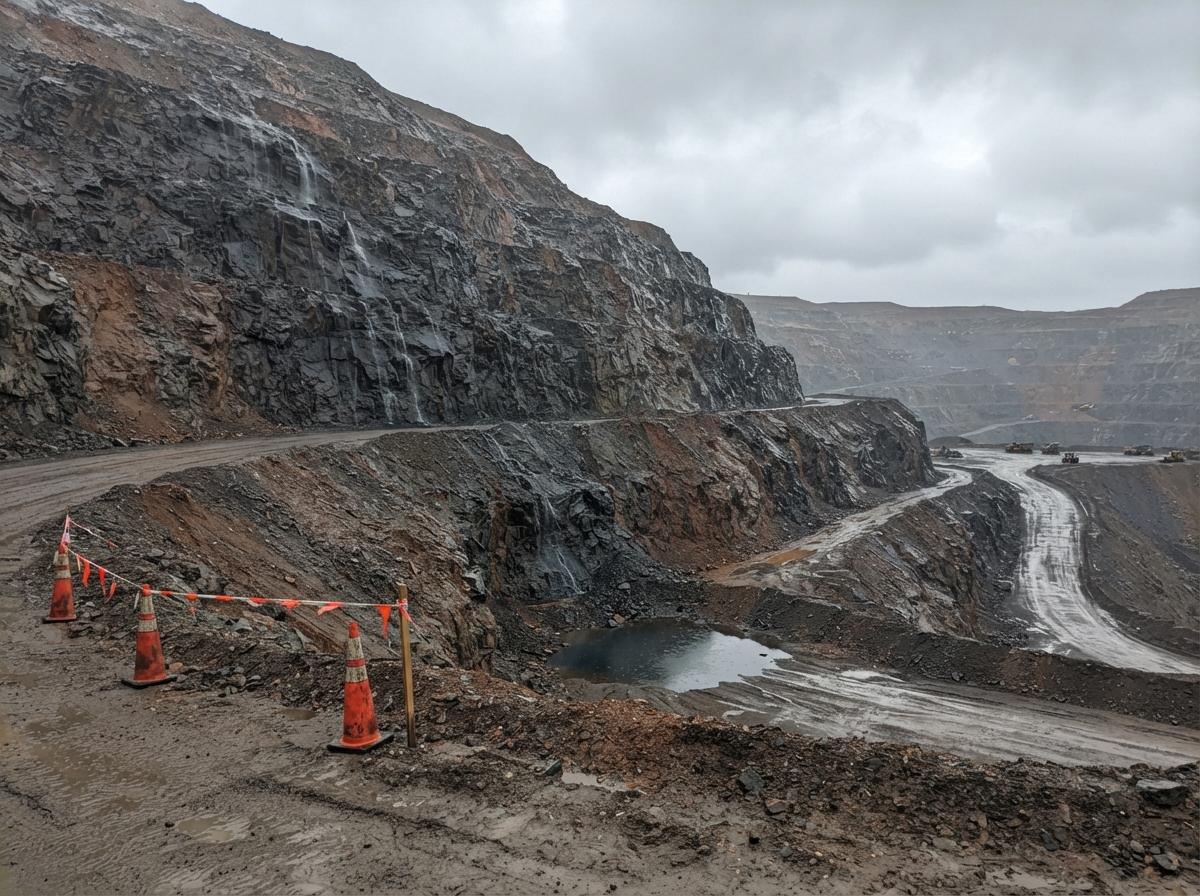
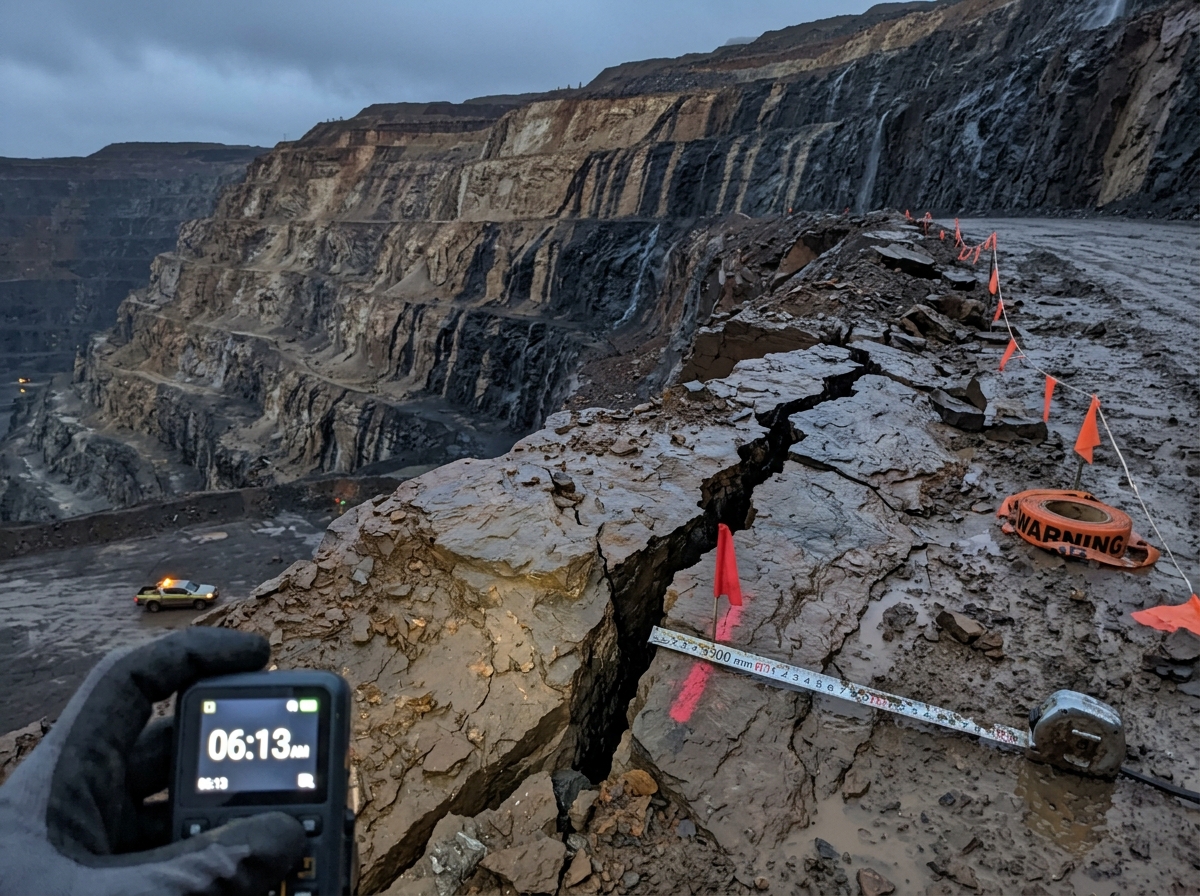
On the crest berm you record the first real field observation: the south wall crack is weeping and the loose material on the berm needs watching. You capture the image and the note while the conditions are still fresh, creating a clear baseline before the next production check.

  • You capture the crack extension, seepage and the geotech hold in a voice note.
  • The photo confirms the crest condition and helps you track change against the next inspection.
Beat 2 S4
06:50 Capture
VOICE NOTE Saved offline

Crack at Crest

South Wall Cutback

“South wall cutback, 06:50. Crack at crest extended 300 mm…”

Captured image 06:50
South wall crest crack
DateFri 8 Apr
Time06:50
LocationSouth Wall Cutback
Comments
Actions I took
New Actions Required
Beat 2.5 • 09:00

Short Interval Control Review

It is 09:00 and you are three hours into the shift — one quarter of the day is already complete. There are four SIC checks during each shift, and this is the first. You pause at the crib room and review the live fleet picture so you can compare the day’s actuals against target before the next dig cycle and staffing decisions.

  • Fleet 1 target for the EX101 Hitachi EX3600 is a dig rate of 2,000 t/h, with 4 trucks on circuit, 98% truck utilisation, queue time under 3 minutes per cycle and 300 truck loads target.
  • Supervisor uses this live equipment status as part of the SIC check to confirm current fleet readiness before the next dig cycle.
  • You can speak to the app anywhere on this screen to enter the SIC data and the actions required without stopping your review.
Beat 2.5 SIC
09:00 SIC
SHORT INTERVAL CONTROL - #1 EX101

SIC #1

Crib room

Dig rate2,000 t/h
Trucks on circuit4 target
Truck utilisation98% target
Queue time<3 min/cycle
Truck loads300 target
Current shift totals: Awaiting update
Equipment Status Live
EX3600-02 Dig unit
EX3600-05 Dig unit
EX3600-09 Dig unit
HD785-14 Truck
HD785-21 Truck
EH500-06 Shovel

Fleet status is synced from the fleet management system. Toggle status to reflect current situation.

Current shift totals Manual
Comments
Actions I took
New Actions Required
Beat 3 • 09:42

Proximity Alert Near Sump

Your phone vibrates while you’re near the lower benches: the sump pump is flagged as a known hazard and the app surfaces the written history from earlier events. The suggestion banner pulls the likely next steps together, making it easy to decide whether you need to inspect, arrange backup pumping or escalate to maintenance.

  • Historical notes show repeated thermal faults and a prior electrical callout.
  • You record a spoken summary while the conditions are fresh and the production risk is clear.
  • The alert logs time, location and the impact on pre-blast clearance and pumping.
Beat 3 S6
09:42 Nearby
KNOWN HAZARD PROXIMITY ALERT Alert

Sump Pump

Lower Benches

Water below crest bund. Pump stopped thermal fault. Electrician called and spare motor fit scheduled.

History 3 entries

14 days ago: stopped and reset. 7 days ago: thermal fault. 06:45 today: motor hot, fitter suspects winding breakdown.

Comments
Actions I took
New Actions Required
Beat 4 • 11:15

Leaving-Area Check

As you leave the North wall, the app prompts you to capture anything you haven’t yet recorded whilst you are still in the area. You record a voice note about the southern end sump being dug out and the grader working on the spoon drain, with work expected to finish by end of shift so the sump pump can be moved. The app also reminds you to check the lighting plant fuel level for night shift, so you backtrack 30 seconds and complete the check in 3 minutes.

  • The geofence exit prompt catches a real observation that might otherwise have been missed.
  • It auto-logs location and time so you know where and when you were when you made a note.
  • The reminder keeps you on task and helps avoid that one chance per shift to check something important - without having to backtrack or (more likely) leaving it for next crew.
Beat 4 S5
11:15 Observation
VOICE NOTE Leaving area check

Water Management

North Wall

Southern end sump is dug out, grader working on spoon drain. Should be finished by end of shift ready for sump pump move.

PLANNED TASK Reminder

Lighting Fuel Level

North Wall

Fuel level check due before night shift.

Comments
Actions I took
New Actions Required
Beat 5 • 12:30

Mid-Shift check in

At crib, you check your outstanding tasks list to make sure nothing will be missed. The app shows the regular inspections that are still open, those items handed over at shift start and the Short Interval Control checks still to be done. This gives you a quick gap check before the afternoon shift intensifies as you head towards end of shift. An updated weather report shows that heavier rain is now expected early next shift — better check whether there are any additional pumps ready from maintenance yet. In the middle of the shift, this review also becomes a psychosocial check: the supervisor is watching for signs of fatigue, stress, conflict or overload before they become a safety or support problem.

What’s still left to do

  • As always, you need to do the safety inspection at each of the operating areas: you’ve done Northern Wall, South Wall cutback, Magazine, Crib and Go-line. Still to do: lower benches, ROM pad, waste dump and crusher.
  • Open items include the sump pump fault, main ramp soft spot and the two trucks down for tyre and suspected turbo.
  • You add a spoken new action to remind yourself to check with maintenance for additional pumps available for night shift if required.
Beat 5 S7
14:20 Controls
Checklist

Mid-Shift Check-in

South Wall Crib Room

Completed

  • ✓ Northern Wall
  • ✓ South Wall cutback
  • ✓ Magazine
  • ✓ Crib
  • ✓ Go-line

Still outstanding

  • ✕ Lower benches
  • ✕ ROM pad
  • ✕ Waste dump
  • ✕ Crusher
  • ✕ Critical Control Verification

Open items

  • ✓✕✕✕ SIC
  • ✕ Sump pump fault
  • ✕ Main ramp soft spot
  • ✕ Truck tyre repair
Crew support / Psychosocial Checkin Quick check
Forecast
Heavier rain starts 7:15pm next shift Early next shift · 10–20 mm
24–30°C Humidity 65% Wind 18 km/h SE
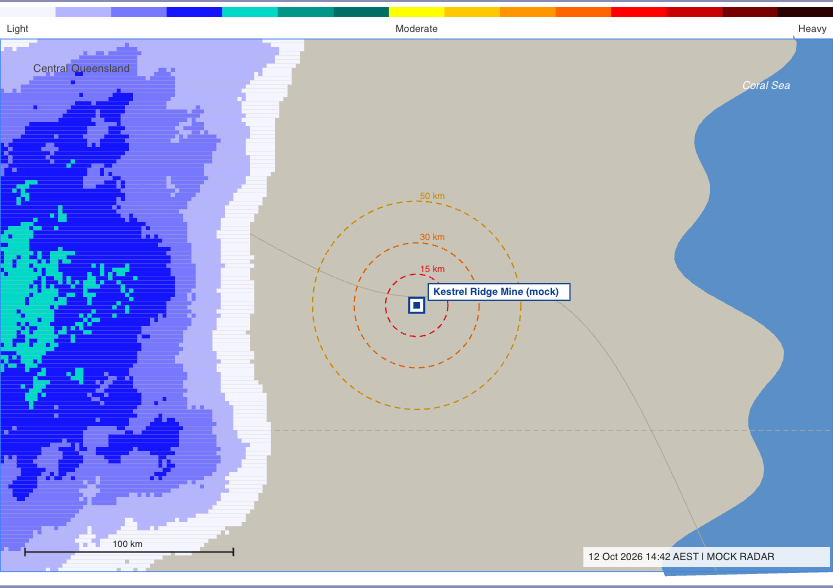
Mock rain radar and lightning tracker for Central Queensland
Short Interval Control Pending
Comments
Actions I took
New Actions Required
Beat 6 • 13:15

ROM Stockpile + Crusher

By 13:15 you are back on the road headed to the ROM. As you enter the area, the app vibrates and talks to you about the outstanding area inspections — the plant has requested more high grade and you need to estimate if there is enough to keep them running during shift change.

  • You view the current stockpile situation against target and report your observations. While you’re here you inspect the crusher and check the ROM traffic plan, performing a Critical Control Verification activity.
  • You take a photo to support your estimate and choose to email it to your supervisor immediately.
  • The app surfaces the variance and highlights the remaining volume you still need from Stockpile 5.
Beat 6 ROM + Crusher
13:15 ROM
VOICE NOTE Saved

Stockpile Estimate

ROM Pad

“Need a further 4.8 kt from Stockpile 5 to stay aligned with the plant plan before the next mill window and keep the crusher fed through shift change. The plant is asking for more high-grade feed. The current stockpile is close to target, the remaining volume should make it through shift change. Send photo to supervisor ASAP.”

Stockpile photo Captured
Stockpile photo
Time 13:18
Area ROM
Note High grade stockpile, estimate 2 hours worth.
Comments
Actions I took
New Actions Required
Beat 7 • 16:15

End-of-Shift Check-in

With the shift drawing to a close, you arrive back at your office and open the end-of-shift review on the app. You have the official site shift report open on your laptop and it's time to start preparing the closing review for the next crew supervisor. You begin in the app by comparing what you achieved versus the targets set at the beginning. The app clearly shows this, and a timeline of all the activities that took place, the voice and manual notes you made and the photos you took. You can also clearly see what still needs to be addressed. It's now over to you to finish closing out the items that you haven't marked off yet. This final review is where psychosocial risk is properly closed out and handed over. The supervisor records any check-ins, concerns, conflict, fatigue, workload pressures or support gaps that emerged during the shift, then decides what needs to be escalated on a hazard basis and what should be passed to the next crew. That matters because a short note about crew tension, reduced capacity, repeated complaints or a distressing event can become a critical record for site management and for the company’s legal obligations to supervise safely, monitor hazards and respond appropriately. Recording the interaction, the action taken and the escalation path helps the supervisor meet their duty to observe, inspect and document conditions affecting worker fitness for work, while also supporting confidential handling and escalation to the correct site channel, including HR or specialist support where needed. In other words, the app is not just a production log — it is a structured way to capture psychosocial risk, document support actions, and ensure the company can act on patterns before they escalate.

  • Open items, resolved issues and production variance are all listed in one place.
  • Manually close out the items you have completed but have not signed off previously.
  • Review comments, photos and recorded notes before finalising the close-out.
  • SIC review highlights the interventions and actuals against target.

In this critical screen you relive your shift via the timeline. Along the way you can add comments, review status, close out, and add new entries that you may have missed.

When you are happy with your shift capture, continue to the next screen.

Beat 7 S8
16:45 Check-in
Checklist

Shift Summary

Production Offices

Completed

  • ✓ Northern Wall
  • ✓ South Wall
  • ✓ Magazine
  • ✓ Crib
  • ✓ Go-line
  • ✓ Crusher
  • ✓ ROM pad

Still open

  • ✕ Sump pump
  • ✕ Main ramp
  • ✕ Contractor trucks
  • ✕ Grade control

SIC

  • ✓ SIC 1
  • ✓ SIC 2
  • ✓ SIC 3
  • ✕ SIC 4
Crew support / Psychosocial debrief Quick check
Shift timeline
click on any entry to view / edit
05:00
Incoming Shift Handover Start of Shift Production Offices

Accepted handover report and reviewed previous shift risks.

06:50
Field Observation Crack at Crest South Wall Cutback

Crack monitored, seepage noted and photo captured.

09:00
Short Interval Control SIC #1 Crib room

All four SIC checks marked complete and logged.

11:15
Area Inspection ROM Inspection Crusher and ROM Pad

Inspection completed and critical control verification closed.

13:15
Area Inspection Stockpile Estimate ROM Pad

Photo sent to supervisor and high-grade feed estimate raised.

16:15
END OF SHIFT Shift Summary Production Offices

Final review of open items, variance and outgoing handover selections.

CONTINUE

When you are happy with your shift summary, press "Next".

Beat 8 • 17:00 / 18:15

Create handover to next shift supervisor

To make it easier for the oncoming supervisor, here you can choose which diary entries, photos, actions etc. you wish to make available via the app. All entries have location pins and photos where available, and you are able to override these settings on a case by case basis - you choose what they are told. This handover stage also carries forward the human side of the shift: unresolved conflict, fatigue, support issues and workload concerns are passed on in the right form, without forcing the next supervisor to sift through private commentary.

Review the shift timeline as before but this time you choose which items will be sent to the next shift - toggle each entry one at a time. While you are there you can choose which items will be emailed to yourself for inclusion in your formal shift report (more on that next stage).

Beat 8 S9
17:00 Handover
HANDOVER TO NEXT SHIFT Draft

Handover to Next Shift

Production Offices

SHIFT TIMELINE Choose items for each destination
Incoming Shift Handover
Start of Shift Production Offices
Field Observation
Crack at Crest South Wall Cutback
Short Interval Control
SIC #1 Crib room
Known Hazard Proximity Alert
Sump Pump Lower Benches
Leaving Area Check
Water Management North Wall
Short Interval Control
Mid-Shift Review South Wall Crib Room
Area Inspection
ROM Stockpile ROM Pad
End of Shift
Shift Summary Production Offices
Shift Handover
Handover Draft Production Offices
Shift Close-Out
Shift Report Production Offices
CONTINUE

When you are happy with your selection press to send these items to the next shift supervisor.

Beat 9 • 18:30

Email Shift Report Details

Your final duty as the shift closes out is to finalise the formal report for management and site records. The app gathers the live notes, photos, actions and production variance into a structured summary that will be emailed to yourself (or any nominated email address) to facilitate copy/paste into the report as you wish.

Note: The formal shift report is still yours - the app doesn't write it for you; it aids you with the data you need.

Beat 9 S10
18:30 Close-out
EMAIL SHIFT REPORT DETAILS Address confirmed

Email Shift Report Details

Production Offices

Shift notes, photos, actions and production variance are ready to send as supporting details for your formal report.

The app supplies the information; you write and submit the formal shift report.

SHIFT CLOSE-OUT Ready

Save and complete shift

Save today's shift data and mark this shift as completed.

NEXT ROSTERED SHIFT Tomorrow

Confirm or choose a new date so the app can identify who is rostered and help other supervisors send the right shift-start prefill data.